
 +44 7887081915




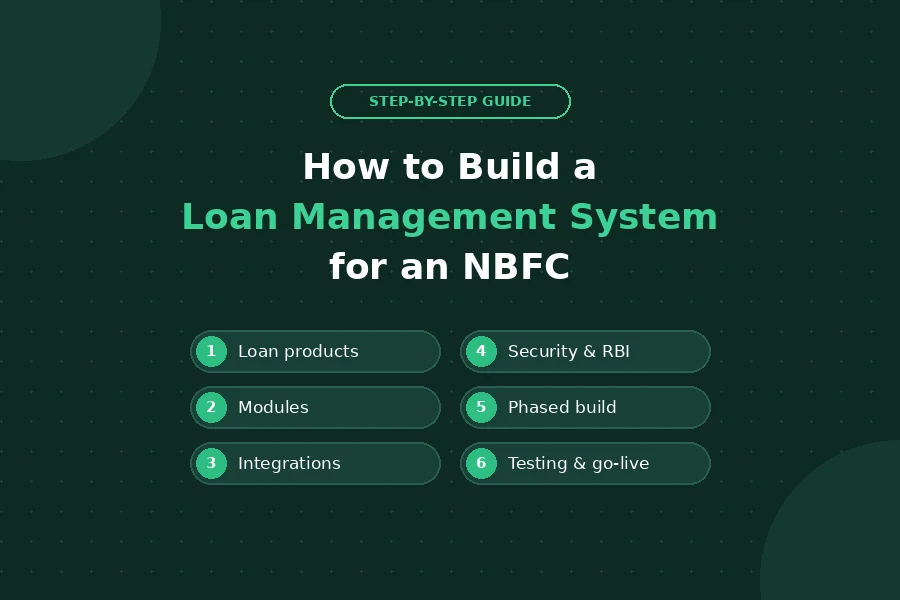
How to Build a Loan Management System for an NBFC: Step-by-Step
Custom Software Development
 By Gomilestone
 Oct 17, 2026
A loan management system (LMS) is the software an NBFC runs on after a loan is approved. It handles disbursement, EMI schedules, repayments, interest, overdues, closures and the reports your management and RBI expect. When it works, nobody notices it. When it does not, you see it in reconciliation errors, angry borrowers and late regulatory reports.
Many NBFCs start on spreadsheets or a ready-made product and reach a point where they need software built around their own loan products. If you are at that point, this guide walks through how a custom LMS is built, step by step, based on what we have learned delivering NBFC software development projects.
Not sure yet whether to build or buy? Read our comparison of custom LMS vs off-the-shelf lending software first.
Step 1: Map Your Loan Products and Lifecycle
Every decision later depends on this step. Write down each loan product you offer, such as personal loans, business loans, gold loans, vehicle loans or loans against property, and for each one:
- Interest method: flat, reducing balance or daily accrual
- Tenure options, EMI frequency and moratorium rules
- Charges: processing fees, foreclosure, bounce and late-payment charges
- What happens at each stage: sanction, disbursement, repayment, overdue, restructuring, closure
An LMS that models your products correctly from day one avoids the most expensive kind of rework: recalculating live loans.
Step 2: Define the Modules You Need
Most NBFC loan management systems are built from the same core modules. Build the ones you need now, and leave room for the rest.
| Module | What it does |
|---|---|
| Loan accounts | Customer and loan records, sanction details, documents |
| Disbursement | Single or tranche disbursement, bank transfer, disbursement memos |
| EMI and interest engine | Repayment schedules, interest accrual, part-payments, prepayment |
| Repayments | eNACH and mandate collection, UPI, payment gateway, manual receipts |
| Collections and overdues | DPD buckets, reminders, field-agent tasks, bounce handling |
| Customer portal or app | Loan details, EMI payments, statements, NOC requests |
| Accounting | GL entries, reconciliation, export to your accounting system |
| Reports and MIS | Portfolio, collections, NPA and regulatory reports |
| Admin and roles | User roles, maker-checker approvals, audit logs |
If you also need to digitise the front of the process (applications, KYC, credit checks), that is a loan origination system. The two are usually connected; see how we approached a loan origination system for an NBFC.
Step 3: Plan Your Integrations Early
An LMS rarely works alone. List every system it must talk to before development starts:
- Loan origination system or CRM, where approved loans come from
- Banks and payment partners for disbursement and collections
- eNACH / eMandate, UPI and payment gateways for repayments
- Credit bureaus for reporting
- SMS, WhatsApp and email for reminders and statements
- Your accounting software
Each integration has its own approval process and test environment, and some take weeks to get access to. Starting them late is one of the most common causes of delay.
If a large share of your loans comes through agents, connect the LMS to their app as well, as in this DSA mobile app for an NBFC, so loan status and commissions update automatically.
Step 4: Build Security and RBI Compliance In From the Start
An LMS holds personal and financial data, so security cannot be added at the end. Plan for:
- Role-based access and maker-checker approval for sensitive actions
- Complete audit logs of who changed what and when
- Encryption of data at rest and in transit
- Strong login security for borrowers and staff
- Fair-practice requirements: clear loan terms, accurate statements and transparent charges
- The reports your compliance team submits to RBI
In a loan management portal we built for a finance company, borrowers log in with PAN-based cross-verification, and an account is blocked for 30 minutes after three failed attempts. Small decisions like this matter. Our RBI compliance checklist for NBFC software covers the full list.
Step 5: Design for Two Users: the Borrower and Your Team
An LMS has two very different audiences. Borrowers want to see their loan, pay an EMI and download a statement without calling you. Your operations team wants to see every loan, track every payment and pull reports in seconds.
In that same project, the customer dashboard showed all active loans, EMI payment through a linked bank account and downloadable statements, while the admin side covered all customers and loans, transaction tracking and automated MIS reports. Read the full loan management portal case study.
Borrower self-service also cuts call-centre load. See how a customer self-service portal for an NBFC lets borrowers check loans, EMIs and statements online.
Step 6: Choose an Architecture That Can Grow
You do not need a complex architecture on day one, but a few choices are hard to change later:
- Separate the calculation engine for interest and EMIs, so new products do not mean rewriting core code.
- Use APIs between modules, so you can add a mobile app, a partner portal or a co-lending integration later.
- Choose cloud hosting with data stored in India, backups and disaster recovery.
- Plan for volume: month-end runs, bulk EMI processing and reports must stay fast as the loan book grows.
Step 7: Build in Phases
Trying to build everything at once is the surest way to miss your launch. A practical split:
- Phase 1: loan accounts, EMI engine, repayments, basic reports and admin roles.
- Phase 2: customer portal or app, collections workflows, accounting integration.
- Phase 3: advanced MIS, automation, co-lending or partner integrations.
Each phase goes live and is used before the next one starts, so feedback from your team shapes what comes next.
Step 8: Test With Real Loan Data and Migrate Carefully
Calculation errors in an LMS are costly and visible. Before go-live:
- Test the EMI engine against real loans you already have, including prepayments, bounces and restructured loans.
- Run the new system in parallel with the old one for at least one repayment cycle.
- Migrate existing loans in batches and reconcile balances for every account.
Step 9: Launch, Train and Support
Go-live is the start, not the end. Train your operations and collections teams, keep developers on standby for the first month-end, and plan for regular updates as products, partners and regulations change.
How Long Does It Take, and Who Do You Need?
Timelines depend on scope and integrations. As a reference, the loan management portal described above took 8 months with a 4-person team. A typical team includes a business analyst, UI/UX designer, backend and frontend developers and a QA engineer, with a project manager who understands lending.
Common Mistakes to Avoid
- Starting development before loan products and calculations are fully defined
- Leaving integrations and bank approvals until the end
- Treating security and audit logs as "phase 2"
- Skipping parallel runs and reconciliation before go-live
- Choosing a vendor without lending experience
Frequently Asked Questions
What is a loan management system for an NBFC?
It is software that manages loans after approval: disbursement, EMI schedules, interest, repayments, overdues, closures, accounting and regulatory reports.
What is the difference between an LOS and an LMS?
A loan origination system handles applications, KYC, credit checks and approval. A loan management system takes over once the loan is disbursed and manages it until closure. Most NBFCs connect the two.
How long does it take to build a loan management system?
It depends on modules and integrations. A focused loan management portal we built took 8 months with a 4-person team; a phased approach lets you go live with core modules sooner.
Can a custom LMS integrate with eNACH, UPI and our accounting software?
Yes. A custom LMS can integrate with eNACH and eMandate, UPI, payment gateways, banks, credit bureaus, SMS and WhatsApp, and your accounting system.
How do you keep an NBFC's loan data secure?
With role-based access, maker-checker approvals, audit logs, encryption, strong login controls such as PAN-based verification and lockouts after failed attempts, and security testing before every release.
Build Your LMS With GoMilestone
GoMilestone has 10+ years of experience and a 100+ member in-house team in Gurugram. We build loan management systems, loan origination systems, DSA apps and customer portals for NBFCs. Share your loan products and requirements, and our team will suggest the right phase-one scope and timeline. Talk to our NBFC software team.
Recent Knowledge Series

Follow Us


Have an Idea? Let's Build It Together
Transform your vision into reality with our expert development team. We're ready to bring your digital products to life.
- Free Consultation
- No Obligation Quote
- 24/7 Support




Clients Across 15+ Countries